Onboarding agreements
On this page
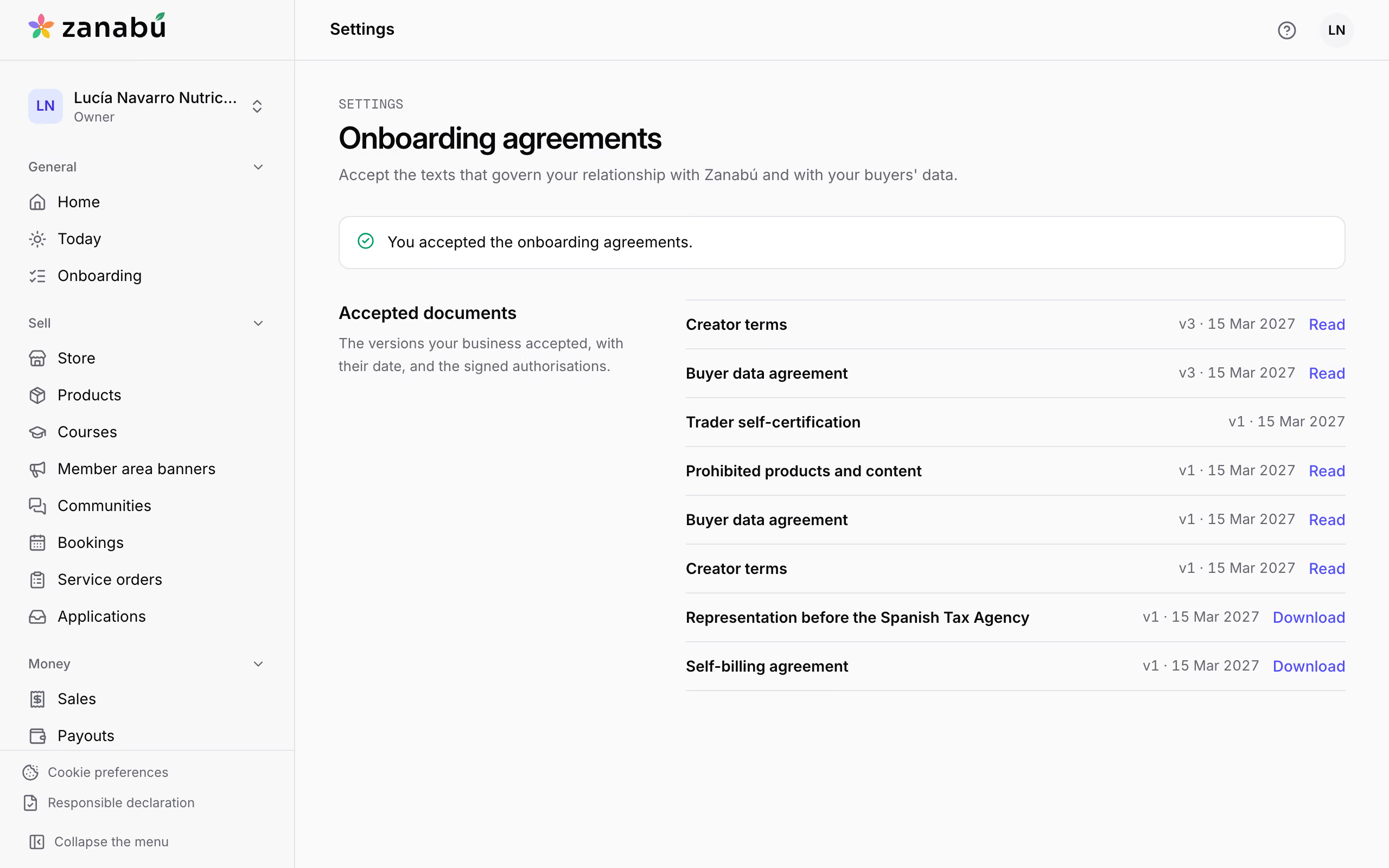
Here you accept the agreements you need to sell on Zanabú: the creator terms, the agreement on buyers' data, the prohibited products policy and your declaration as a trader. The four are accepted at once and Zanabú keeps the version and the date of each one.
Underneath you have the documents your business already accepted and the signed authorisations. Each one carries its version and its date and downloads as PDF.
How to get there
Open Settings and select Legal texts. While the agreements are missing, it shows Accept the onboarding agreements, which opens this screen.
What you can do
- Read each agreement in its current version with Read.
- Accept the four at once.
- Download the accepted documents with Download.
Step by step
Accept the agreements
- 1. Select Read on each agreement.
- 2. Tick the box of each one.
- 3. Select Accept all four.
What happens next
The screen says «You accepted the onboarding agreements.» and onboarding moves on to the review. You can check each acceptance later in Legal texts.
Keep in mind
- Only the owner of the business accepts the agreements.
- The trader declaration is the one the creator terms in force publish. It says that you only offer products and services that comply with Union law and that your trader details are true. Article 30 of the Digital Services Act requires it, applicable since 17 February 2024.
- If Zanabú publishes a new version of an agreement, it lets you know and asks you to accept it from Legal texts. Accept a new version of the legal texts explains it.
Was this helpful?
Need to talk to us?
If you didn't find what you were looking for, write to us. We reply within two working days.