Report
On this page
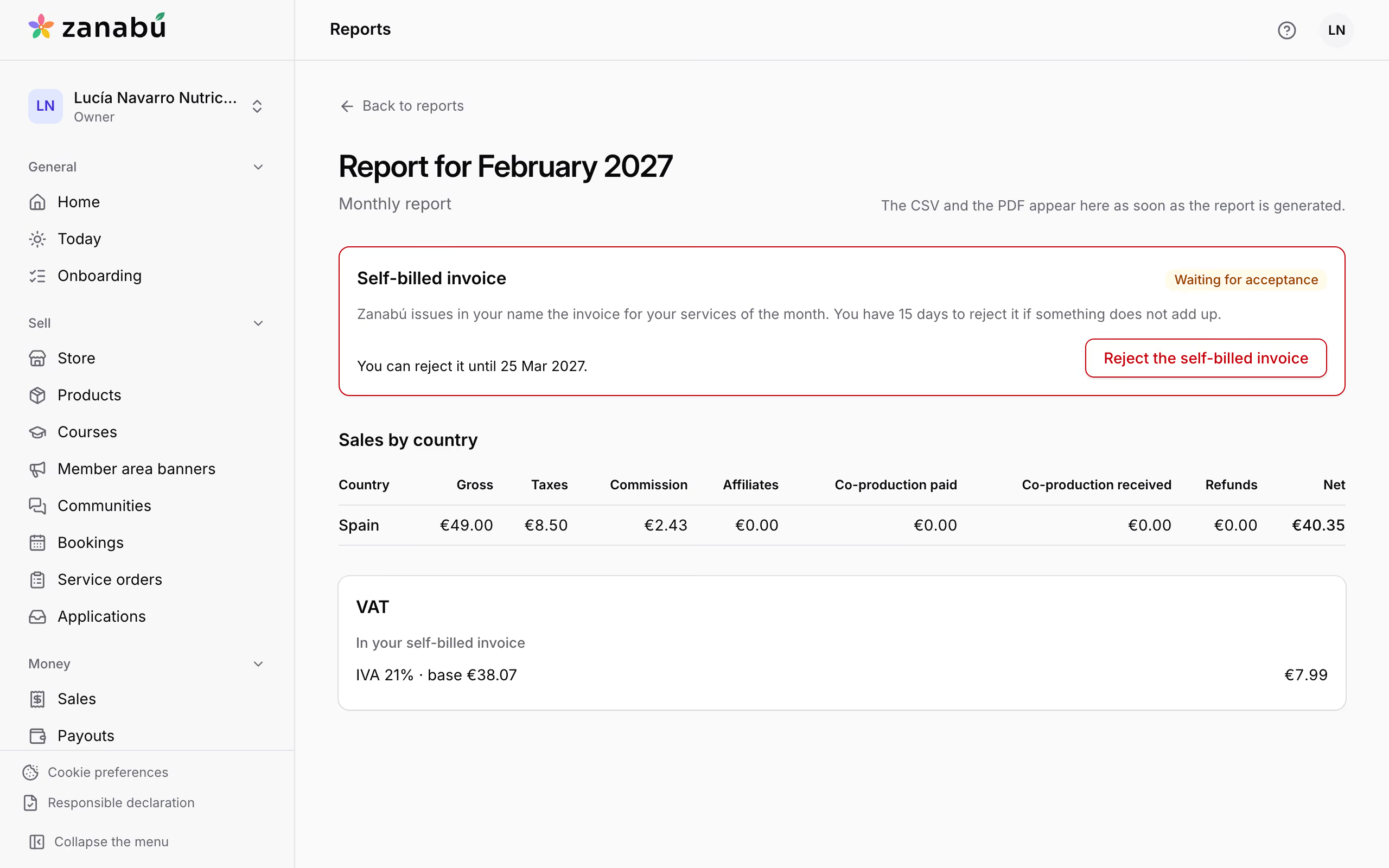
Here you see the tax report of a period with your sales by country, the VAT and your self-billed invoice. The annual summary of the previous year is generated on 1 January.
Each row of Sales by country gathers what Zanabú sold as the legal seller to the buyers of that country.
How to get there
Open Reports in the side menu and click the period's row. You also get there from the «See the report» button in the email that tells you it is ready.
What you can do
- See by country the Gross, the Taxes, the Commission, the Affiliates, the co-production, the Refunds and the Net.
- See the VAT of your self-billed invoice and the VAT paid on Zanabú's invoices.
- Review your self-billed invoice and its income tax withholding.
- Reject the self-billed invoice within the deadline if something does not add up.
- Download the report with Download CSV or Download PDF. While the report is being generated, the screen says the files come later.
Step by step
Reject the self-billed invoice
- 1. Review the amounts of the self-billed invoice.
- 2. Click Reject the self-billed invoice.
- 3. Write the Reason and click Reject.
What happens next
The self-billed invoice becomes Rejected, being reviewed by Zanabú. Zanabú confirms it or issues a corrective one. Its answer appears in the report itself, below the self-billed invoice.
Keep in mind
- If you sold in other currencies, Sales in other currencies says how many sales each one had, what the buyers paid and their euros, which are the ones the report counts.
- You have 15 days to reject the self-billed invoice. If you do not reject it, it counts as accepted.
- If your self-billing authorisation is missing, the report stays blocked. Sign it with Sign the authorisation and Zanabú issues the self-billed invoice and generates the report.
- The annual summary shows the form 347 operations above €3,005.06 with the amount of each quarter. You also have your withholding certificate.
These roles can open this screen: owner, admin and accounting.
Was this helpful?
Need to talk to us?
If you didn't find what you were looking for, write to us. We reply within two working days.