Business
On this page
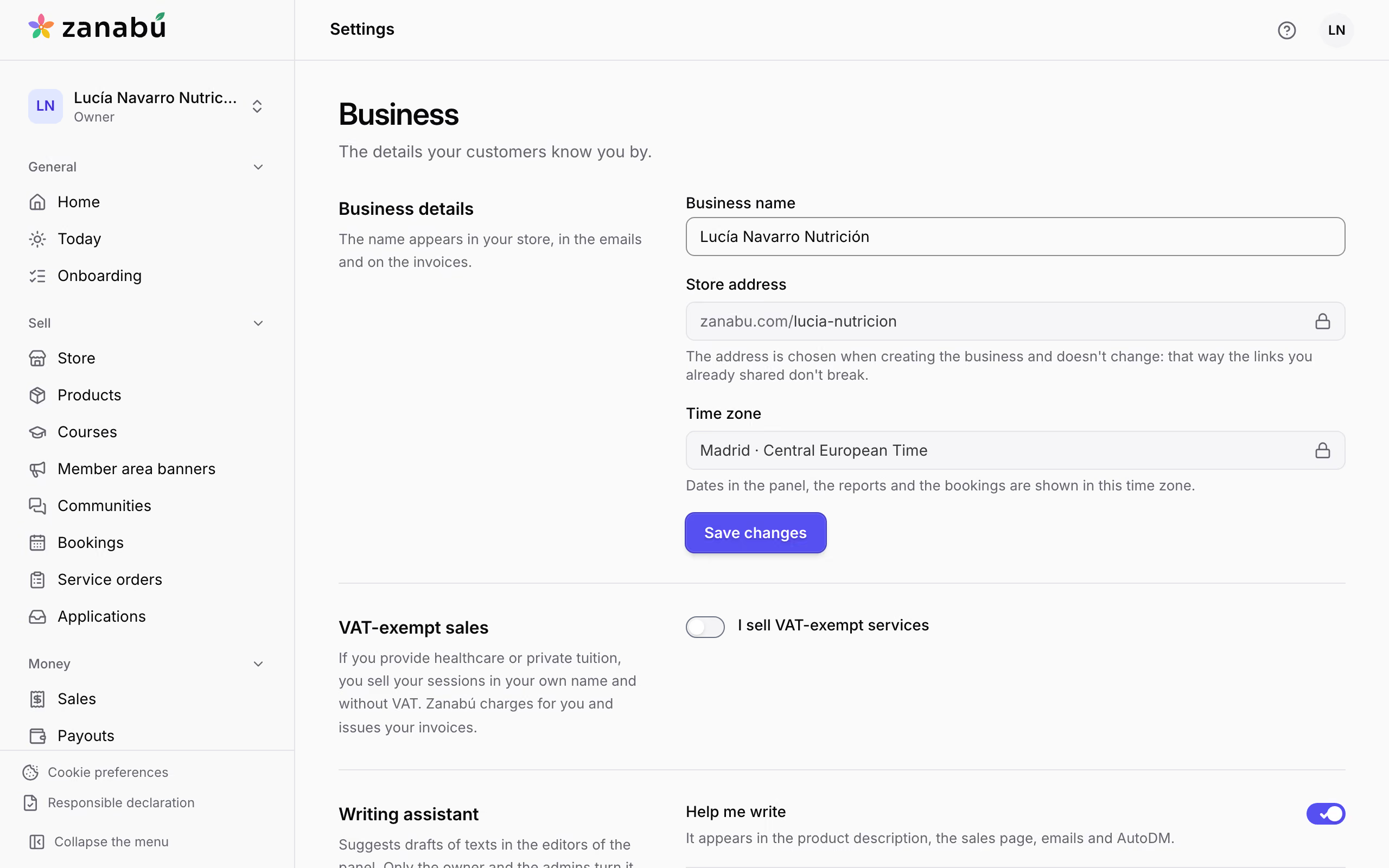
Here you have the details your customers recognise you by. The name of the business appears in your store, in the emails your buyers receive and on the invoices. The store address is the last part of your link on zanabu.com.
The time zone decides in which time you see the dates of the panel, the reports and the bookings.
How to get there
Open Settings in the side menu and select Business, in the group of business settings.
What you can do
- Change the Business name.
- See the Store address.
- See the Time zone of the business.
- Turn Help me write on or off in every editor of the business and see the drafts used this month.
- Ask for VAT-exempt sales if you provide healthcare or private tuition.
Step by step
Change the name of the business
- 1. Write the new Business name.
- 2. Select Save.
Turn the writing assistant off or on
- 1. Go down to Writing assistant.
- 2. Select the Help me write switch.
- 3. Check the notice Assistant turned off. or Assistant turned on.
Ask for VAT-exempt sales
- 1. Turn on I sell VAT-exempt services.
- 2. Choose Healthcare or Private tuition.
- 3. Write your profession, your membership number and your association, or the subjects you teach.
- 4. Upload the certificate that qualifies you, as a PDF, JPEG or PNG of up to 10 MB.
- 5. Read the Third-party invoicing agreement and select Sign and ask for the exemption.
What happens next
The new name appears in the store, in the emails and on the invoices issued from that moment. Invoices already issued do not change, because an invoice cannot be modified after it is issued.
Keep in mind
- The address is chosen when the business is created and does not change, so the links you already shared on your social networks do not break.
- If your role can see these details but not change them, the screen tells you and the Save button does not appear.
- The legal name that appears as seller on your invoices is the one you wrote in your tax details.
- Only the owner and the admins turn the assistant off or on. With the assistant off, Help me write does not appear in any editor. The texts you send it are not stored. The quota of the month starts again on day 1.
Frequently asked questions
What changes once the exemption is approved?
Your sessions, session packs and custom services sell in your name and without VAT. At checkout you show as the seller, the money reaches your Stripe account and Zanabú issues the invoice in your name as a third party, with its Verifactu record. Zanabú keeps its commission on each sale and sends you one invoice for all of them every month. When a professional buyer asks for an invoice with a tax ID, the checkout applies your IRPF withholding.
What happens if Zanabú revokes my exemption?
The section says Revoked with the reason the Zanabú team wrote. From that date your sessions sell again with Zanabú as the seller and with VAT. What you already sold keeps its invoice in your name. Once you sort it out, press Ask again and upload your current certificate.
Can I change the address of my store?
No. The address stays fixed when the business is created so that the links in your bio, your emails and your ads keep working. If you need another one, you can connect your own domain to your store from Store.
Was this helpful?
Need to talk to us?
If you didn't find what you were looking for, write to us. We reply within two working days.