Status of your refund
On this page
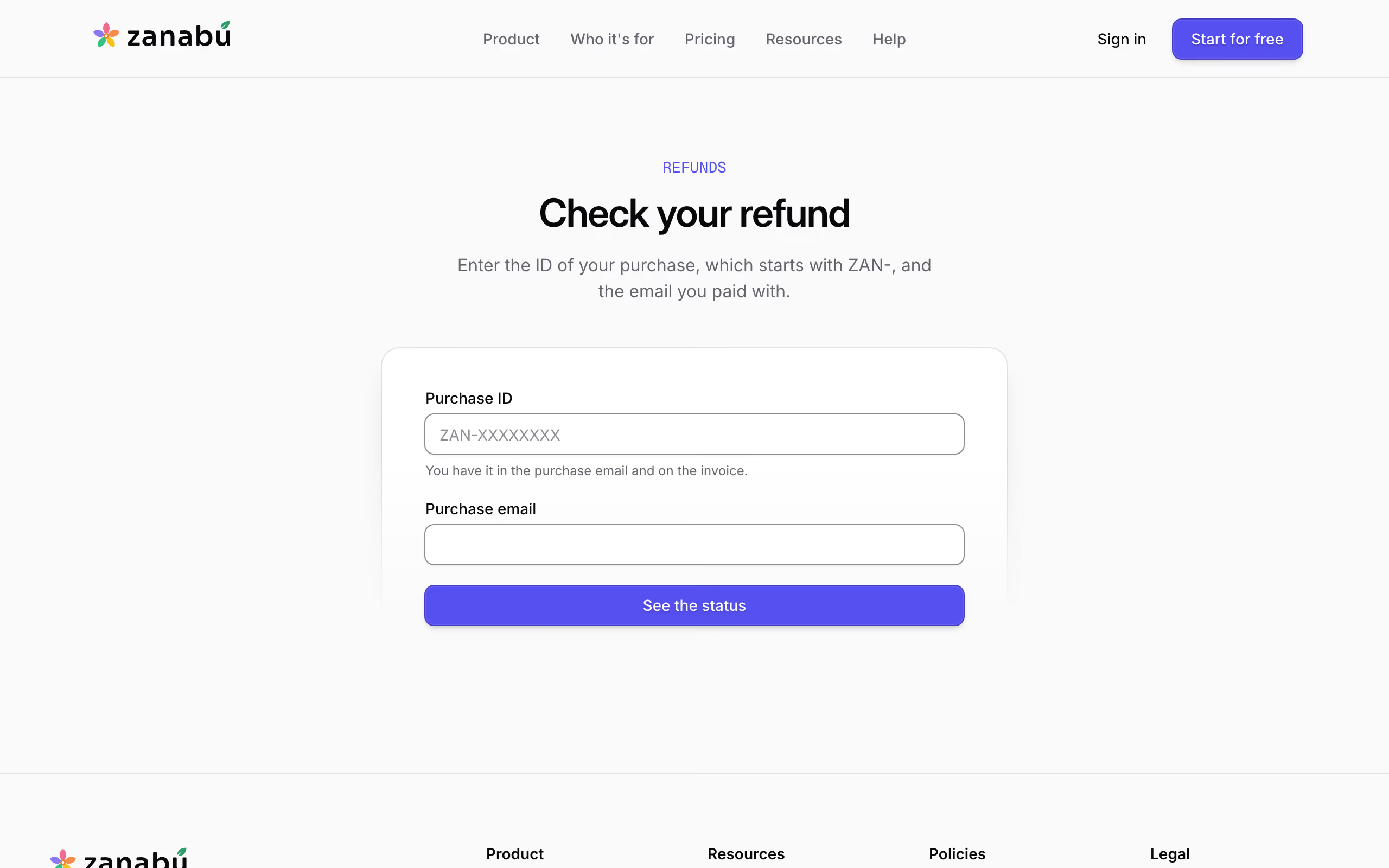
Here you check where a refund you asked for stands, without entering your member area. You type the ID of the purchase, which starts with ZAN-, and the email you paid with. The page shows each step of the request with its date.
How to get there
Open zanabu.com/refund in the browser or click the link in the emails we send you about your refund.
What you can do
- See the status of your request, from Received to Refunded.
- See whether the request fell within the guarantee or the creator reviews it.
- See when the money goes out and how long your bank may take to show it.
Step by step
Check your refund
- 1. Type the Purchase ID.
- 2. Type the Purchase email.
- 3. Click See the status.
What happens next
You see the line of steps of your request with the date of each one. If it is In progress, the money has already gone out and the bank can take up to 10 business days to show it in your account.
Keep in mind
- If you asked for the refund of a service within the 14 days after paying, the step says Approved by the 14-day withdrawal.
- You have the ID in the purchase email and on the invoice.
- If you see «We can't find any refund request with those details», check the ID and the email. If you have not asked for the refund yet, ask for it as request a refund explains.
- If the status is Failed, the bank did not accept the refund. The Zanabú team writes to you to return your money another way.
Was this helpful?
Need to talk to someone?
The creator of the store sold you the product. They handle access, changes and refunds for your purchase.
Open the store from your purchase email and tap “Help” at the bottom of the page.
For a charge you don't recognise, buyer protection or your data, write to Zanabú. Write to support