Lesson
On this page
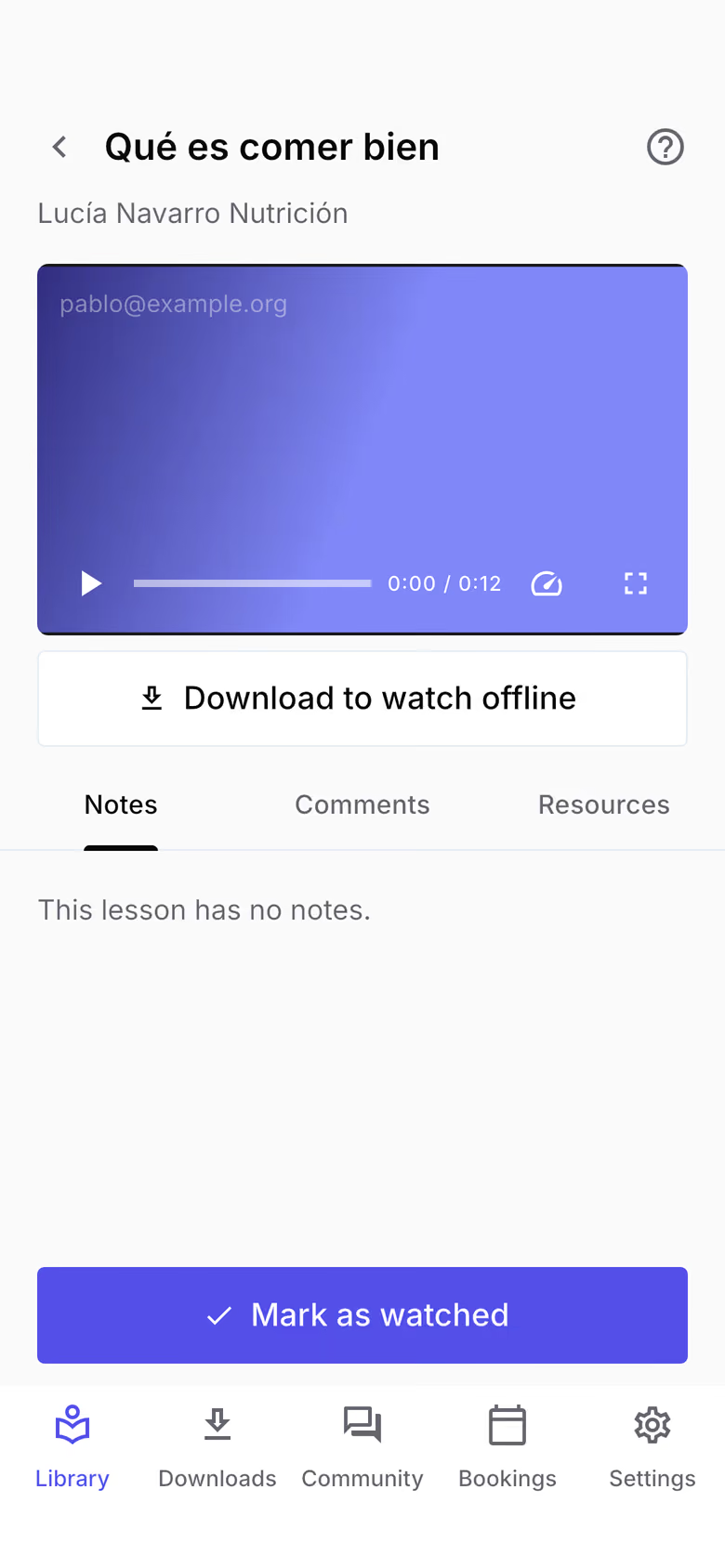
In the lesson you watch its video or listen to its audio, with your email as a watermark, and below you have its notes, the comments and the resources.
How to get there
Tap a lesson in the course or the card of Continue watching in Library.
What you can do
- Play, change the Speed, Show captions or watch the lesson in Full screen.
- Read the Notes, write in Comments or open the Resources.
- Answer the question that stops the video at its second and tap Keep watching.
- Download transcript from Resources when the video has captions.
- Tap Download to watch offline.
- Tap Mark as watched and go to the Next one.
Step by step
Watch it offline
- 1. Tap Download to watch offline.
- 2. Wait until it says Downloaded on this phone.
- 3. Open it later from Downloads, also without network.
Answer a question of the video
- 1. When the video stops, pick an option.
- 2. Tap Answer and read whether it is the Right answer and why.
- 3. Tap Keep watching and the video goes on.
Offline
When the lesson says Downloaded on this phone, it opens without network for 7 days after the last time the app checked your access. The download goes on in the background even if you close the app, and the watermark with your email stays on the video.
What happens next
The lesson saves the second you are at every few seconds. Without network it keeps it on the phone and sends it when the network is back. The audio keeps playing with the phone locked.
Keep in mind
- A YouTube or Vimeo video opens on its website and cannot be downloaded.
- Video and audio complete themselves when you reach 90%.
- A downloaded lesson plays without the questions of the video, because the answer is saved with a connection.
Frequently asked questions
Why does my email show over the video?
It is the watermark of the store. It identifies who watches the video to protect the creator's work and moves every few seconds.
Was this helpful?
Need to talk to someone?
The creator of the store sold you the product. They handle access, changes and refunds for your purchase.
Open the store from your purchase email and tap “Help” at the bottom of the page.
For a charge you don't recognise, buyer protection or your data, write to Zanabú. Write to support