Affiliate program
Reviewed on 5 October 2026
On this page
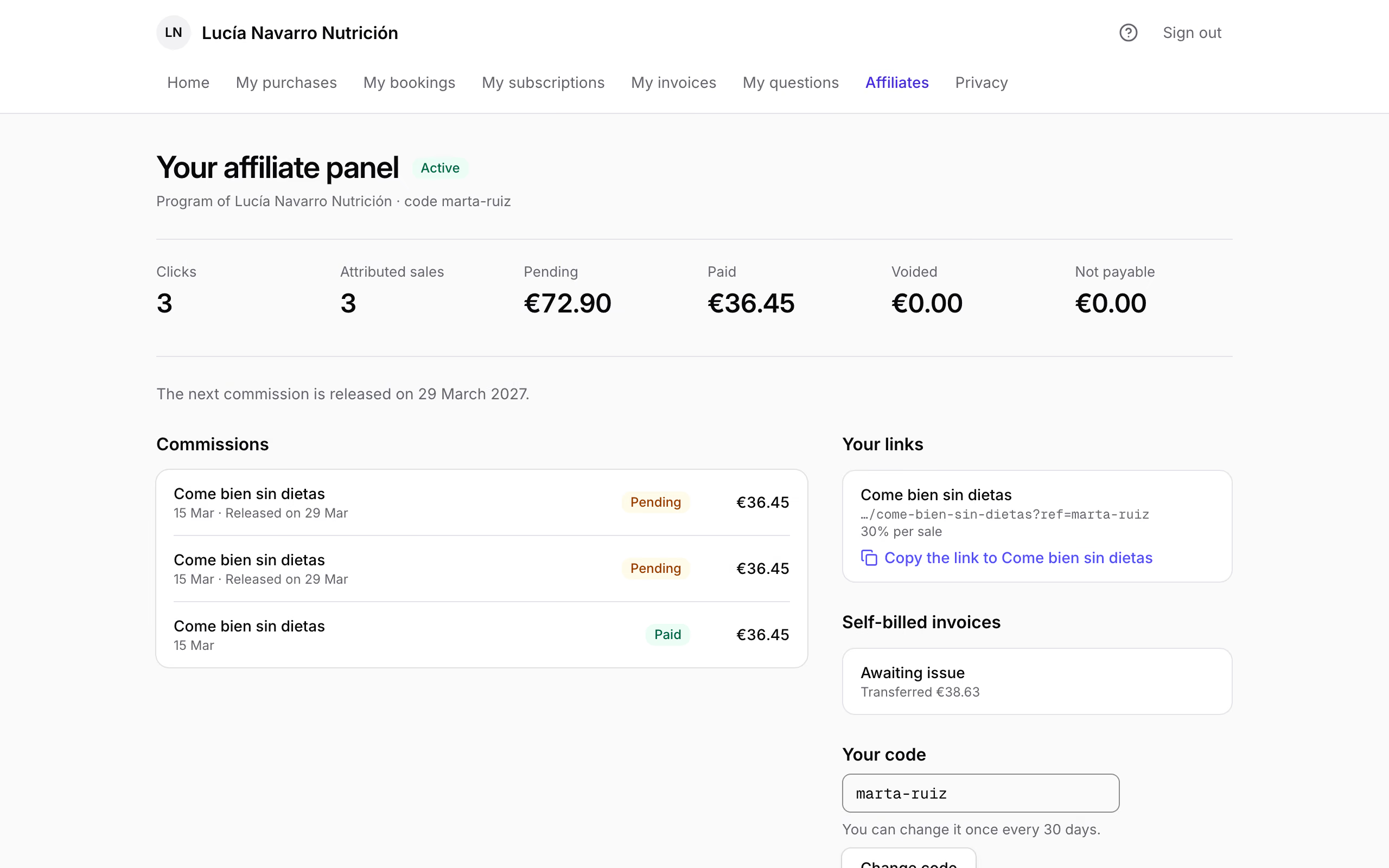
Here you recommend this store's products and earn a commission on each sale that comes through your link. If you are not an affiliate yet, you join from here. If you already are, you see your links, your code, your commissions and your self-billed invoices.
How to get there
In the member area of the store, click Affiliates in the bar at the top of the page.
What you can do
- Join the program or ask to join if the store reviews requests.
- Copy your link for each product with a commission under Your links with the copy action of each product.
- Change your affiliate code with Change code.
- See your pending, paid and voided commissions under Commissions.
- Download your self-billed invoices as PDF under Self-billed invoices.
Step by step
Join the program
- 1. Type your Display name.
- 2. Tick I have read and accept the program terms.
- 3. Tick the box of Zanabú's affiliate terms too.
- 4. Click Join the program. If something is missing, the screen tells you beside the field.
What happens next
If the program is open, you join right away and already have your links. If the store reviews requests, we let you know by email when it answers.
Keep in mind
- To get paid your commissions you have to complete the payout setup. If you do not complete it in time, you lose the pending commissions.
- You can change your code once every 30 days.
- A self-billed invoice that is not issued yet shows as Awaiting issue, with no number or PDF. Your commission is paid anyway. The number and the PDF appear once it is issued.
- Your Display name appears as “Recommended by” when someone buys with your link.
Was this helpful?
Need to talk to us?
If you didn't find what you were looking for, write to us. We reply within two working days.